Apps · IQ Option Philippines
Download the IQ Option App in the Philippines


IQ Option runs on Android, iPhone, iPad, Windows, Mac and in a web browser. The apps are free to download and one account works on all of them, so this page lists the official source for each, what your device needs and how to avoid fake copies.
Which IQ Option app to download
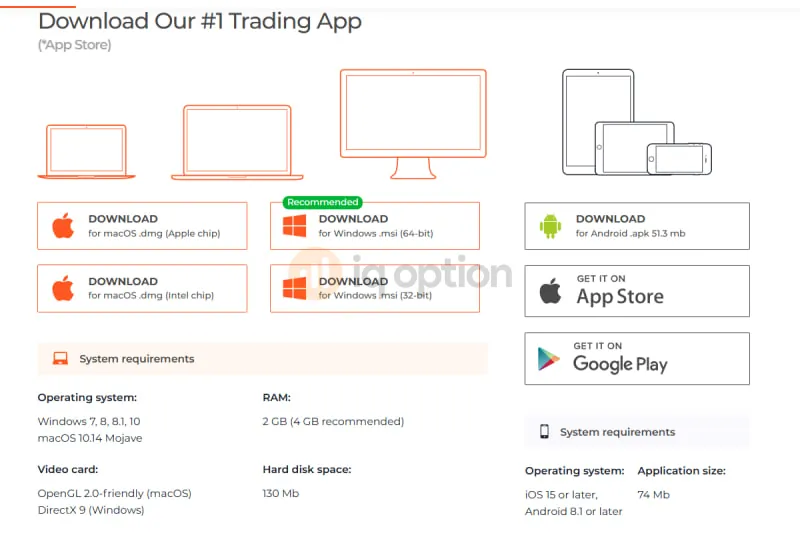
Most Filipino traders use a phone: Google Play or the APK on Android, the App Store on iPhone. On a laptop or desktop you can install the Windows or Mac app, or use the web version. Every button below goes to an official source, and the sizes and requirements are the ones shown on IQ Option's own download page and store listings in October 2026.
One account works on every version, so you can log in on your phone in the morning and on your laptop at night. If you do not have an account yet, see login and sign-up.
IQ Option for Android: Google Play or APK
Google Play
From a Philippine phone the listing is called “IQ Option Trading Platform” and the developer is shown as IQ Option. In October 2026 it showed 4.1 stars from 730K reviews and more than 100M downloads. The app needs Android 8.1 or later and is about 74 MB. Store ratings change, so check the page yourself.
Google Play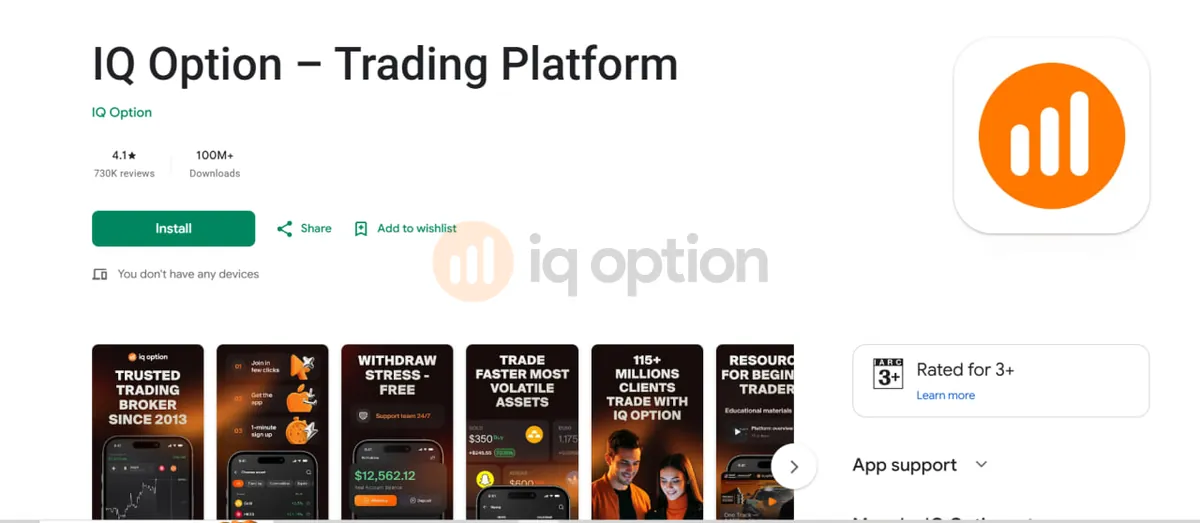
Google Play also has other IQ Option listings, including a web app wrapper and an older “Lite” app last updated in 2023. The button above points to the main app, and the others are not covered here.
IQ Option X (APK)
The APK is a file you install yourself, outside Google Play. IQ Option offers it on its download page as IQ Option X, 51.3 MB, for Android 8.1 or later, and our APK button goes to that same file.
Get the APK from one place only
Use the button below or the download page on iqoption.com. Do not take an APK from a chat group, a video description or a mirror site. If your phone shows a warning, check where the file came from before you go on, and if you are not sure, delete it and use Google Play.
How to install the APK
- On your Android phone, tap Download IQ Option X (APK) above. The link goes to the IQ Option X file, which is 51.3 MB.
- When the download finishes, tap the file in your notifications, or open the Files app and look in Downloads.
- If Android blocks the install, tap Settings in the message and allow installs from the browser or file app you used. This permission is set per app.
- Tap Install, then Open.
- Log in with your email and password, or register. The demo account with $10,000 of practice money is there from the start.
IQ Option for iPhone and iPad
The App Store listing is “IQ Option Trading Broker”, with the line “Forex, Finance, Crypto & Gold”. It is free, rated 18+ and needs iOS 15 or later, and the file is 179.3 MB. In October 2026 it showed 4.4 stars from 3.1K ratings. The developer name is IQOPTION EUROPE LTD, which differs from the name on Google Play, but both are official listings.
App Store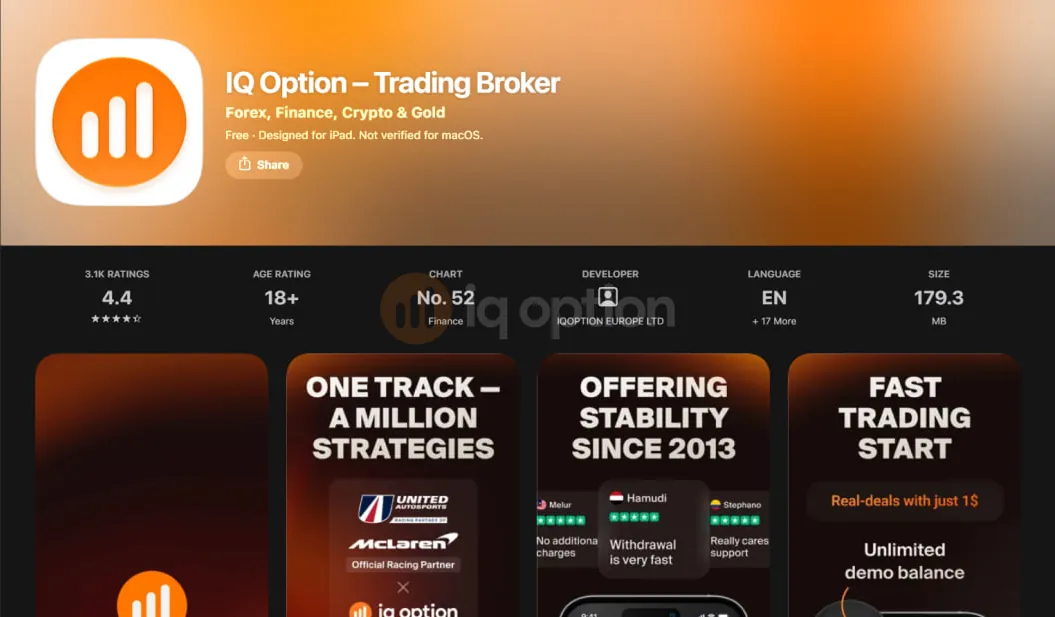
- Open the App Store and search for IQ Option, or use the button above.
- Check that the name is “IQ Option Trading Broker” and the developer is IQOPTION EUROPE LTD.
- Tap Get and confirm with Face ID, Touch ID or your Apple ID password.
- Open the app and log in, or register a new account.
IQ Option for Windows and Mac
Both installers are on IQ Option's download page, and each needs 130 MB of free disk space and 2 GB of RAM (4 GB recommended). According to IQ Option's help pages, browsers do not use all the WebGL features of a graphics card, so charts can update more slowly in a browser than in the desktop app.
Windows
Choose the .msi installer. The 64-bit file is the recommended one, and the 32-bit file is only for 32-bit PCs. Windows 7, 8, 8.1 and 10 are supported, and the video card needs to support DirectX 9.
Download for Windows- Open the download page and download the .msi file that matches your PC.
- Run the file and follow the installer.
- Open IQ Option and log in.
If your antivirus blocks the installer
Update your antivirus, then add the IQ Option installer to its exclusions list and run it again.
Mac
Choose the .dmg file for your chip, Apple chip or Intel chip. You need macOS 10.14 Mojave or later, and the video card needs OpenGL 2.0 support.
Download for Mac- Open the download page and download the .dmg file for your Mac.
- Open the .dmg file from your Downloads folder and run the installation.
- Open IQ Option and log in.
Web platform and PWA
The web version at iqoption.com/pwa runs in a browser and needs no install. It works well as a fallback when your phone is too old for the apps, your storage is full or you are on someone else's computer, and it uses the same account as the apps.
Open iqoption.com/pwaMost phone browsers let you add a site to your home screen from the browser menu so the page opens like an app, though the menu wording differs between browsers and versions.
System requirements
| Version | Minimum | File size |
|---|---|---|
| iPhone / iPad | iOS 15 or later | 179.3 MB |
| Android (Google Play) | Android 8.1 or later | 74 MB |
| Android (IQ Option X APK) | Android 8.1 or later | 51.3 MB |
| Windows | Windows 7, 8, 8.1 or 102 GB RAM (4 GB recommended); DirectX 9 video card | 130 MB free disk space |
| Mac | macOS 10.14 Mojave or later2 GB RAM (4 GB recommended); OpenGL 2.0 video card | 130 MB free disk space |
| Web (PWA) | A current browser | Nothing to install |
Fake apps and APK mirrors
Only three places are official: iqoption.com, Google Play and the App Store. Sites such as Uptodown, APKMirror, Aptoide and Softonic are third-party, IQ Option does not run them, and the files on them can be old or changed. On Google Play the developer shown is IQ Option, and on the App Store it is IQOPTION EUROPE LTD.
- Skip any “modded”, “unlocked” or “free signals” version, and any APK sent to you in a chat or a group.
- Type your IQ Option password only inside the real app or on iqoption.com or login.iqoption.com. Sites with similar names, such as iqoptions.net or iq-option.com, are not run by IQ Option and are not where you log in. See official login addresses.
IQ Option app not working: common fixes
Android shows an install blocked message.
Fix: allow installs from the browser or file app you used to download it, then open the file again.
The phone is older than the minimum version.
Fix: the apps need iOS 15 or Android 8.1 or later, so use the web version at iqoption.com/pwa instead.
The installer is blocked or deleted.
Fix: update your antivirus, then add the IQ Option installer to its exclusions list and run it again.
The app reports a graphics problem.
Fix: update the graphics driver from the maker of your video card. If the error stays, the card may not support DirectX 9 (Windows) or OpenGL 2.0 (Mac), and the web version is the way around it.
You see an error or the password is rejected.
Fix: see login and sign-up fixes for password resets, login limits and 2-step authentication.
The app works but your documents or payout are stuck.
Fix: see account verification and deposit and withdrawal. You can also write to support@iqoption.com, and live chat is open 24/7 after you log in.
After you install
The first steps are the same on every version.
Log in if you already have an account, or register with the help of login and sign-up.
Switch to the demo account first. It costs nothing, and our beginner guide shows the first trade step by step.
Verify early, as explained in account types and verification, and check the minimums in deposit and withdrawal.
If you plan to use a bonus code, read promo codes before you deposit.
Start with the demo
Every version has the demo account, so try it before you deposit.
Try the free demoIQ Option download FAQ
Where do I download the IQ Option app in the Philippines?
Use only the official sources: the App Store for iPhone and iPad, Google Play or the IQ Option X APK for Android, and the installers on iqoption.com/en/download for Windows and Mac. You can also use the web version at iqoption.com/pwa with nothing to install.
Is the IQ Option app free?
Yes. Downloading the app is free, and so is the demo account with $10,000 of practice money. A real account needs a deposit, and the minimum for GCash and Maya is ₱580 (see deposit and withdrawal).
Which is better on Android, Google Play or the APK?
Both come from IQ Option. Google Play is simpler because the store handles the install, while the APK is the direct file offered on IQ Option's download page. Whichever you pick, get it from an official source and not from a mirror site.
Is the IQ Option APK safe?
The IQ Option X file from our APK link or from iqoption.com is the official one. Copies from other sites can be old or changed, so do not use them. Even an official app does not make trading safe: CFDs and options carry a high risk of losing your money.
Can I use IQ Option on a PC or laptop?
Yes. There is a Windows installer (.msi, 64-bit or 32-bit) and a Mac installer (.dmg for Apple chip or Intel chip). Windows needs Windows 7, 8, 8.1 or 10, Mac needs macOS 10.14 or later, and you can also open the web version in a browser.
Can I trade without installing an app?
Yes. Open iqoption.com/pwa in a current browser and log in, and the web version and the apps will use the same account.
Will the app work on my old phone?
The App Store app needs iOS 15 or later, and both Android versions need Android 8.1 or later. If your phone is older than that, use the web version in your browser.
Paano mag download ng IQ Option app?
On iPhone, open the App Store, search for IQ Option, check the developer is IQOPTION EUROPE LTD and tap Get. On Android, open Google Play, search for IQ Option, check the developer is IQ Option and tap Install. For a PC or Mac, use the installers on iqoption.com/en/download.